
Pull the MP3 Out of Any Facebook Video, Reel or Story
Paste the link of the Facebook video, reel or story with the sound you want. Picazor is finding the video's own audio track on Facebook's servers and streaming it to you as an MP3, no login, no extension, nothing installed, and the poster is seeing no view.
Free. No signup. Any language, any length Facebook is playing.
Every Facebook Video Is Carrying an MP3 Inside It
A Facebook video downloader is giving you the picture. The Facebook audio downloader is giving you the part you were actually after, the song under the reel, the voice in the interview, the lecture you are going to play in the car. Picazor is extracting MP3 from Facebook video live, while it streams, Facebook to MP3 in one press, with no upload on your side and no file sitting on ours. Reels, videos, stories, live replays, the clip inside an album, if it is playing sound on Facebook, the sound is coming out here as a plain MP3 that every device is reading.
Works on Every Device You Own
Android, iOS, a Huawei from China with no Google on it, a work laptop locked down by IT, a ten year old ThinkPad, our downloads are working and running on your device because the output is the plainest audio file there is. An MP3 is not asking permission from anything.
Skip the converter sites, the apps that want a subscription for the second file, and the extensions that want to read every tab. Paste, press, and the MP3 is in your Downloads folder with the picazor name on it. Here is what that looks like on each device.
Mac and Windows:
The MP3 is landing in the browser's Downloads folder and every player on the machine is opening it, Music on Mac, Media Player on Windows, VLC, foobar, the lot. Nothing to install and nothing to convert a second time.
Any Browser:
Chrome, Firefox, Edge, Safari, Brave, Opera, the Samsung browser. The button is a normal download link, the browser is doing what it always does with a file, and there is no extension involved on any of them.
Android, Native MP3:
Android is treating MP3 as a first class format. The file is going into Downloads, the music app is picking it up on its own, and it is showing in the Files app under the picazor name. Set it as a ringtone if you like, Android is allowing that from Settings, Sound.
iPhone and iPad:
Safari is saving into Files, under Downloads. Tap it there and it is playing in place. To get it into the Music app, open it in Files, share, and pick Music, or drag it into the library on a Mac. Apple is not playing MP3 through the camera roll, that is the one place it will not go.
Huawei and Phones Without Google:
A Huawei with HarmonyOS, a Xiaomi in China, an Android with no Play services, all the same story. The MP3 is a plain file, the built in player is opening it, and Picazor is a website, not an app, so there is nothing to install from a store you cannot reach.
Smart TVs, Cars, USB Sticks:
A plain MP3 with no wrapper and no DRM is the file every USB port on earth is reading. Copy it across and it plays. That is the reason we chose MP3 over a newer format, it is the one that works everywhere without an argument.
The Output
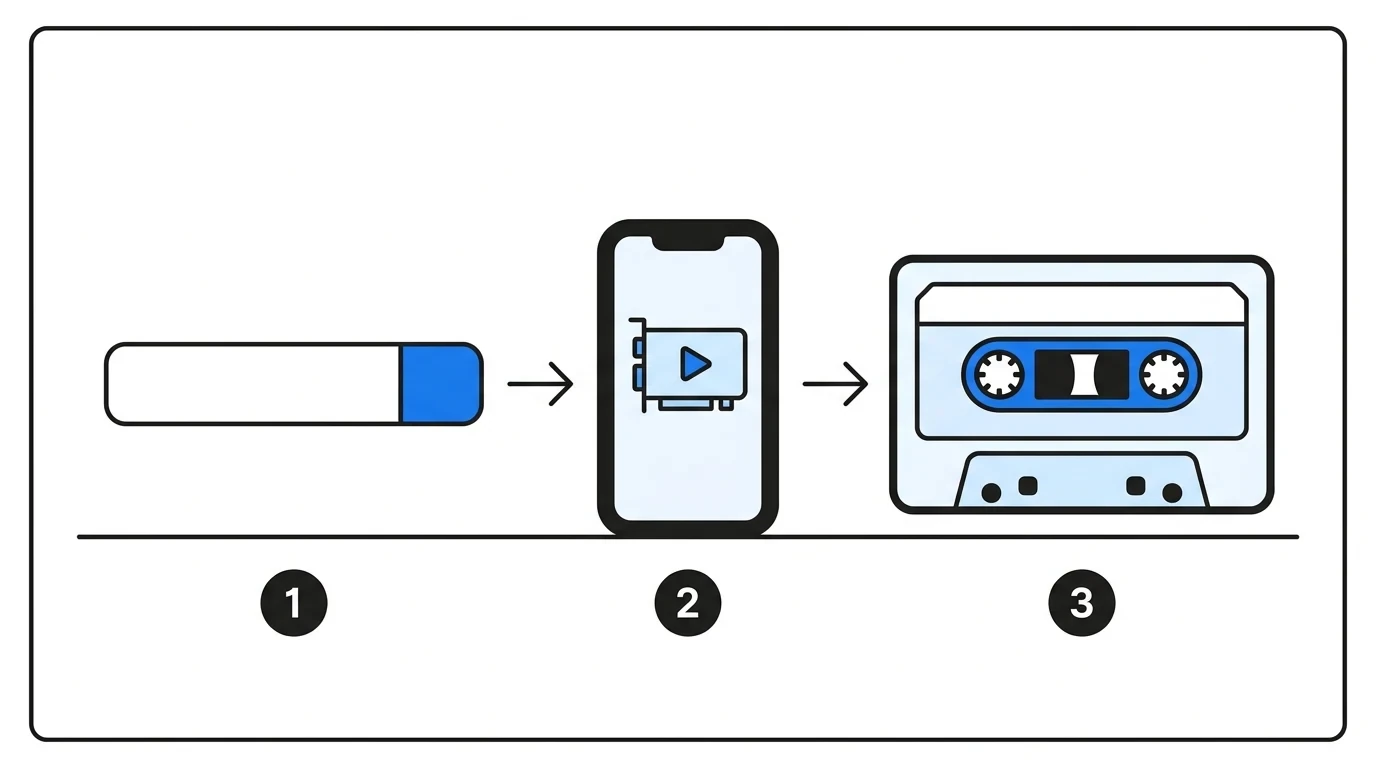
One format, chosen because it is the one that plays everywhere without a fight. Here is exactly what is coming out of the pipe.
One Bar, Every Source.
Picazor is not a separate audio tool bolted on the side. It is the same paste bar reading the same Facebook page, and wherever it is finding a video it is offering the sound as well. So the list of what works for audio is the list of what works for video, put it that way.
no file limit of ours
The audio of any public Facebook post, pulled live, streamed to your device.
- Unlimited pulls. Twenty an hour per person, a hundred a day, a limit only a script is ever touching.
- Nothing stored. The MP3 is being made while it streams and there is no copy left on our side when it finishes.
- Any length. A fifteen second reel or a three hour live replay, the pipe is the same pipe.
Anything on Facebook That Is Playing Sound
Variety is the whole point here. People are pasting a reel for the song, a video for the interview, a story for a voice note, and an album because a clip is hiding between the photos. All of it is the same job to us, we are reading the page, finding the video file, and handing you its audio.
- Reels. The song under the reel, the voice over, the sound that is trending, out as MP3 with the reel's full length.
- Videos. Interviews, sermons, lectures, podcasts posted as video, live replays that ran for hours.
- Stories. A voice note or a song posted as a story, pulled before the twenty four hours are up.
- Albums with two or more videos. Every video in the set is getting its own MP3 button, numbered in order, one paste for all of them.
- Watch and share links. Every link shape the video tool is reading, fb.watch included.
The Questions Everyone Is Asking About Audio
Does this work for audio in any language?
Haha, yes. The file has no idea what language it is in. Urdu, Tamil, Spanish, Arabic, a Punjabi wedding song running under a reel, it is all one audio track to us and it is coming out as the same MP3. Language is a subtitle problem, not an audio problem.
Asked more than any other question on this page
Is the sound quality the same as the video?
It is the video's own audio track, taken once and written as MP3 at a variable bitrate around 190 kbps. That is above what Facebook is serving for most uploads, so nothing you could hear is being lost on the way. A quiet phone recording is staying a quiet phone recording, the MP3 is not inventing quality that was never there.
Asked by people who make music for a living
Can the audio be longer than a few minutes?
Yes. The MP3 is being made while the video streams, not after it downloads, so a two hour live replay is starting to arrive in seconds and finishing when the stream finishes. The only clock is Facebook's, if the video plays on Facebook the audio is coming out of it here.
Asked by people saving lectures and long lives
Why is there no MP3 button on a photo post?
Because there is no sound in a photo. The MP3 button is showing only when a video is in the result. Paste a link with a video in it, a reel, a story, an album with a clip inside, and the button is there. Paste a photo and you are getting the photo, which is the honest answer.
Asked at least once a day
Need the picture as well as the sound? The same bar is doing that too.